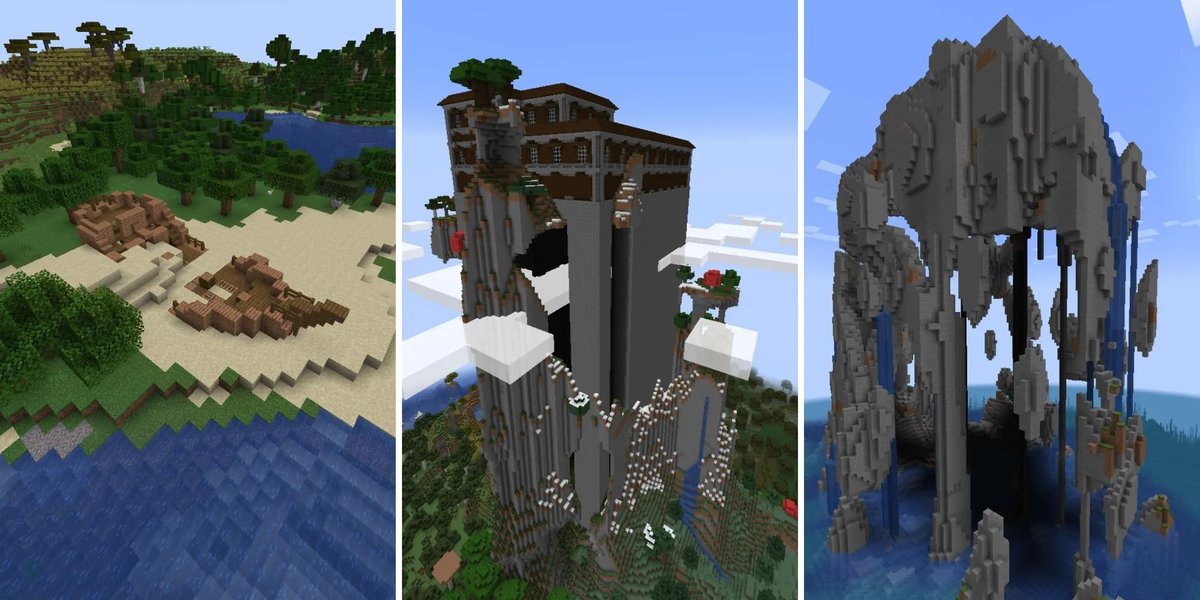
It starts with a simple input: a number, a word, or even nothing at all. But from that tiny fragment of information, Minecraft conjures entire worlds – sprawling continents, dizzying mountain ranges, and cavernous underground networks – all seemingly out of thin air. This isn't magic, it's the intricate dance of algorithms and a fundamental concept known as the Minecraft seed.
To truly unlock the game's ultimate potential, to master the art of finding that perfect starting point for your next epic build or survival challenge, you need more than just a random number. You need a deeper understanding of how Minecraft builds its boundless landscapes from the ground up. This guide will walk you through the fascinating process of world generation, turning you into an expert at Understanding Minecraft Seeds & World Generation.
At a Glance: Your World's DNA Decoded
- Seeds are the blueprint: A Minecraft seed (a number or text) is the unique input that determines every single detail of your world, ensuring the same seed always creates the exact same world.
- Procedural generation: Worlds are automatically created by algorithms, not hand-crafted, allowing for infinite variation.
- Vast possibilities: Minecraft uses 64-bit seeds, generating over 18 quintillion unique worlds.
- Pre-1.18 vs. 1.18+: World generation underwent a massive overhaul in the "Caves & Cliffs" update, changing terrain, biome distribution, and vertical limits.
- Noise is key: Algorithms like Perlin noise and Fractal Brownian Motion (fBM) are the fundamental tools Minecraft uses to create natural-looking terrain and features.
- Find your seed: In Java, type
/seed. In Bedrock, it's in the world options.
The DNA of Your World: What Exactly is a Minecraft Seed?
Imagine a single strand of DNA that dictates every hair color, every facial feature, every tiny detail of a living organism. In Minecraft, that strand of DNA is the seed. When you start a new world, you have the option to enter a seed – a string of numbers or text. If you leave it blank, the game randomly generates one for you. This seed is the single most important factor in determining your world's layout.
The magic here lies in something called procedural generation. Instead of storing a massive, pre-made map, Minecraft's algorithms use the seed as an initial input. From that seed, it calculates the location of every block, every biome, every structure, and every ore vein in a completely deterministic way. "Deterministic" is a fancy word meaning: the same seed always produces the same world. Always. No exceptions. This is why players can share seeds and confidently know they're exploring identical landscapes.
With 64-bit seeds, Minecraft has the capacity to generate an astronomical 18.4 quintillion unique worlds. That's a number so large it's practically infinite for any human to explore. Each of these worlds is a distinct universe, waiting to be discovered.
A Brief History of Worlds: From Cave Game to Cliffs & Caves
Minecraft didn't invent procedural generation, but it certainly popularized it. Its roots can be traced back to pioneering titles like 1984's "Elite," which first rendered vast, explorable universes from a few lines of code, and 1980's "Rogue," famous for its procedurally generated dungeons. More directly, the early alpha game "Infiniminer" inspired core mechanics like blocks and initial terrain generation techniques.
Early iterations of Minecraft, affectionately known as "Cave Game," featured small, confined worlds – just 256 blocks wide and 64 blocks tall. The game truly began to feel boundless with the "Infinite Update," which introduced dynamic chunk loading. This ingenious system generates new parts of the world only as players approach them, creating the illusion of a limitless landscape. While technically infinite, practical limits now restrict players to a colossal 60,000,000 x 60,000,000 block area. You'll find that the game is designed for optimal diversity up to around 25,000 blocks from spawn; venture much further, and landscapes tend to become noticeably more repetitive.
Minecraft's world generation has continuously evolved, responding to community feedback and developers' ambitions. From the introduction of 10 biomes in Alpha 1.2.0 ("Halloween Update") to the removal of the infamous "Far Lands" (generation errors at ~12 million blocks) in Beta 1.8 ("Adventure Update"), each major update has reshaped the very ground beneath our pickaxes. Notably, the world generator introduced in Minecraft 1.7.2 ("The Update that Changed the World"), which drastically reduced ocean sizes, remained largely dominant for nearly a decade, defining the look and feel of countless worlds.
Pre-1.18 World Generation: The "Classic" Algorithm's Symphony
Before the monumental "Caves & Cliffs" update (1.18), Minecraft's world generation was a sophisticated multi-phase process. Understanding this "classic" algorithm provides immense insight into how older seeds behave and the underlying principles that still influence generation today.
The core generation algorithm was a masterclass in combining various noise maps and layered operations. It typically involved congruential generators seeding Perlin noise maps, which were then stacked as "octaves" to create Fractal Brownian Motion (fBM) noise. These fBM maps were the raw material, processed through a series of cellular automaton-like operators to define biomes, which in turn modulated the height and features of the terrain.
Let's break it down into its three major phases:
Phase 1: Crafting the Blueprint — Biome Map Generation
This is arguably the most critical phase, as it establishes the fundamental layout of your world. Think of it as painting the abstract blueprint before any physical blocks are placed.
- Layers upon Layers: Biome generation isn't a single step; it's a stack of "layers" across four sub-stacks:
- Landmass Stack: Determines where land and ocean appear.
- River Stack: Carves rivers into the land.
- Ocean Temperature Stack: Defines varied ocean biomes.
- Hill/River Nuance Stack: Adds finer details.
- The Island Genesis: It begins with an "Island Layer" – a low-resolution noise map that roughly sketches out landmasses and oceans, aiming for about a 1:10 land-to-ocean ratio. Each "pixel" in this map might correspond to a massive 4096 in-game blocks. A quadratic congruential generator often kicks off this process.
- Zooming and Expanding: Subsequent "Zoom Layers" progressively increase the resolution, adding finer details and variations. An "Expand Layer" then intelligently connects these islands, preventing excessively fragmented archipelagos. The "Remove Too Much Ocean" layer, a significant tweak from the Adventure Update, further increased land coverage from a sparse 27% to over 50%.
- Climate Control: "Climate Layers" overlay temperature (Warm, Temperate, Cold, Freezing) and rainfall data across this burgeoning map. These blend together for smooth transitions, and specific biome probabilities are then assigned based on these combined climatic conditions.
- Rare Gems: Certain biomes, like the unique Mushroom Islands, have special generation conditions (a mere 1 in 100 chance for an ocean block to become one!). Badlands, Jungles, and Giant Tree Taigas also have their own strict criteria, often tied to specific temperature or humidity ranges.
- Rivers and Oceans: Rivers are generated in a completely separate stack, using an edge-detection-like algorithm to identify suitable paths, which are then smoothed and carved into the main landmass by a "River Mixer Layer." Similarly, an "Ocean Temperature stack," leveraging Perlin noise, determines the spread of warm, lukewarm, cold, and frozen oceans, which are then merged into the main map via an "OceanMixer Layer."
- Final Upscale: Finally, this multi-layered biome map is upscaled to block-level resolution, providing a detailed blueprint for the next phase.
Phase 2: Building the Landscape — Terrain Generation
With the biome blueprint in hand, the game moves on to shaping the actual 3D landscape.
- The Outline (Density Map): This step creates the raw, solid stone landscape, typically with water appearing below Y=62. It heavily relies on Fractal Brownian Motion (fBM) noise, which is essentially a sum of multiple Perlin noise maps at different scales. At any given (x,z) coordinate, the game samples the fBM value (representing "density") from the bottom up. The first Y-coordinate where the fBM value is positive or zero becomes the surface. This process is optimized by sampling fBM at a lower resolution (e.g., 4x8x4 block cells) and interpolating the values. Crucially, biomes directly influence terrain height through "depth" and "scale" parameters, ensuring, for instance, that oceans generate flat rather than jagged.
- The Surface Layer: Once the solid stone outline is complete, the game replaces the topmost stone blocks with biome-appropriate materials – lush grass in plains, sand on beaches, snow in tundras, and so on. Bedrock, the impenetrable bottom layer of the world, is also generated here, with its pattern in Java Edition remaining static across all seeds.
- Carving the Depths: The iconic cave systems and dramatic ravines are then carved into this solid mass. This is achieved using sophisticated "Perlin worms," which are essentially advanced variants of the classic random walk technique, creating winding, interconnected tunnels and deep gashes in the terrain.
Phase 3: Populating the World — Feature Placement
The final phase adds all the structures, plants, and resources that make Minecraft worlds feel alive.
- Structures First: Major structures take priority. Villages, desert temples, jungle temples, ocean monuments, and strongholds are placed early in this phase.
- Decorative Elements: Only after the large structures are settled do decorative elements like trees, tall grass, flowers, and mushrooms appear.
- Ore Veins: Finally, the coveted ore veins – coal, iron, gold, diamond – are generated throughout the underground, following specific distribution patterns and Y-level ranges.
- Strongholds: A Special Case: Strongholds, essential for reaching The End dimension, have a unique generation rule. In Java Edition, there are 128 per world, arranged in 8 concentric rings around the origin. The outermost ring sits roughly 22,000-24,000 blocks from spawn. Interestingly, their positions are calculated before most terrain generation begins due to their critical role in game progression.
Minecraft 1.18+ ("Caves & Cliffs"): A New Dimension of Worlds
The "Caves & Cliffs Update" (1.18) marked the most significant overhaul of Minecraft's world generation in its history. It wasn't just an update; it was a revolution, designed to create more dramatic, immersive, and interconnected landscapes.
The most immediate change was the increased vertical world height, expanding from 128 to a massive 320 blocks. This allowed for truly colossal mountains and much deeper caves. Crucially, the new generation system was designed to blend seamlessly with older chunks, ensuring that your existing worlds could smoothly transition to the new terrain features.
One of the core innovations in 1.18+ is the concept of 3D biomes. No longer are biomes just flat planes determined by temperature and rainfall. Now, distinct underground cave biomes, like the ethereal Lush Caves or the eerie Dripstone Caves, can generate beneath specific surface biomes, creating truly immersive sub-terranian ecosystems.
New cave types—dubbed "cheese," "spaghetti," and "noodle" caves—are generated by applying thresholds to 3D Perlin noise maps with varied parameters. This system creates vast, open caverns, winding tunnels, and intricate networks, often punctuated by dramatic pillars and unique geological formations.
At the heart of this new system is an incredibly complex 3D climate map. Instead of just 2 parameters (temperature and rainfall) determining biomes, each small section of the world (a 4x4x4 block quarter-chunk) is assigned five climate parameters from various noise maps:
- Temperature: How warm or cold it is.
- Humidity: How wet or dry it is.
- Continentalness: How close or far it is from a coast (influencing landmass size).
- Erosion: How flat or mountainous the terrain should be.
- Weirdness: A parameter that influences biome variants and overall unusualness.
Biomes are then assigned by finding the closest match to an ideal set of these five parameters. This system is far more nuanced than its predecessors, utilizing over 50 noise maps to intricately link biome and terrain generation. The result is a profoundly more diverse, interconnected, and visually stunning world, where tall mountains logically lead to snowy peaks and lush valleys give way to deep, watery caves.
The Unsung Heroes: Noise Maps & Algorithms Behind the Scenes
Behind all this procedural magic are sophisticated mathematical tools, chief among them "noise maps." These aren't just random static; they are intelligently generated patterns that mimic the natural world.
Perlin Noise: The Godfather of Procedural Worlds
Developed in 1982 by Ken Perlin for the movie "Tron," Perlin noise is an algorithm renowned for generating smooth, natural-looking procedural textures and terrain. Unlike truly random noise, Perlin noise has a coherent, flowing quality. It's built on a grid of gradient vectors, and values between these points are smoothly interpolated. This creates gradients and curves that look organic, making it ideal for everything from cloud patterns to mountain ridges.
However, over-reliance on Perlin noise can lead to a certain "sameness" or recognizable "square" artifacts, something developers sometimes refer to as a "Perlin-first mindset." Minecraft's generation moves beyond this by combining multiple noise types and complex layering.
Fractal Brownian Motion (fBM): Building Mountains from Noise
While Perlin noise provides smooth gradients, nature is often more complex, with details repeating at different scales (e.g., a mountain has large ridges, but those ridges have smaller bumps, which have even smaller stones). This is where Fractal Brownian Motion (fBM) comes in.
fBM is created by combining multiple "octaves" of Perlin noise. Each octave is a Perlin noise map at a different frequency and amplitude. By summing these together, you get a highly detailed, rugged, and natural-looking terrain map that accurately mimics fractal patterns found in real-world landscapes. This is why Minecraft's mountains and valleys feel so organic and varied.
Congruential generators are also fundamental, often used to produce the initial "random" numbers that seed these noise maps, ensuring each world is truly unique based on its seed.
Finding Your Perfect Spawn: Practical Seed Hunting Tips
Now that you understand the underlying mechanics, how do you put this knowledge into practice to find your ideal world?
- Discover Your Current Seed: In Java Edition, simply open your chat window and type
/seed. The game will display the numerical seed for your current world. In Bedrock Edition, the seed is conveniently displayed in the world options screen for any world you've created or loaded. - Java vs. Bedrock Seeds: Remember, Java and Bedrock editions use different generation engines. A seed that creates a fantastic world in Java will generate a completely different world in Bedrock, and vice-versa. Don't expect cross-compatibility!
- Version Matters: World generation changes significantly with major updates. A seed that produced a specific world in 1.16 will likely generate a different world in 1.18, especially concerning terrain and biome placement. Always note the Minecraft version when sharing or looking up seeds.
- Seed Hunting Communities: The internet is full of communities (Reddit, forums, dedicated websites) where players share exceptional seeds. Search for specific biome combinations (e.g., "Minecraft jungle island seed 1.20") or unique structures.
- Specialized Tools: For more advanced users, there are various third-party tools and websites that allow you to preview seeds without having to load them in-game. These can visualize biomes, structures, and even specific coordinates, saving you hours of in-game exploration. You can often find a good starting point with tools like Our MC seed generator.
- The 25,000 Block "Sweet Spot": Keep in mind the design philosophy that content diversity is highest within approximately 25,000 blocks of spawn. While you can go much further, new landscapes tend to become less varied.
- A Fun Fact: Looking for the tallest natural cactus? In Minecraft 1.14, one famously generated 23 blocks tall at seed 184693195438010998, coordinates 16274576 64 10230656. A testament to the game's endless procedural quirks!
Common Seed & World Gen Questions, Answered
Players often have specific questions about seeds and how they work. Here are some of the most common ones:
Can seeds be duplicated? If I use the same seed, will I always get the exact same world?
Yes, absolutely. This is the core principle of Minecraft's procedural generation. The same seed will always produce an identical world in the same game version and edition. This deterministic nature is what allows players to share and revisit specific worlds.
Do seeds work across different Minecraft versions (e.g., 1.16 vs. 1.20)?
Generally, no, especially with major updates. World generation algorithms are often tweaked or completely overhauled with new versions (like the 1.18 "Caves & Cliffs" update). A seed from an older version will likely produce a significantly different, if not unrecognizable, world when loaded in a newer version.
Are Java Edition seeds compatible with Bedrock Edition seeds?
No, they are not compatible. Java Edition and Bedrock Edition (which includes Pocket Edition, Windows 10 Edition, Console Editions) use entirely different world generation engines and algorithms. The same seed entered into both versions will produce two completely distinct worlds. Bedrock Edition also offers seed templates for custom world generation directly in its options.
Why do my worlds start to look repetitive if I travel very far out?
Minecraft's world generation algorithms, while complex, have limits to their unique output. The game is designed to provide maximum diversity within a reasonable exploration distance (around 25,000 blocks from spawn). Beyond that, the noise maps and algorithms tend to repeat their patterns, leading to landscapes that feel familiar or less varied. The "Far Lands" were an extreme example of this at even greater distances in older versions.
Does my username or gamertag influence the seed?
No, your username or gamertag has no bearing on the world seed or its generation. The seed is either manually entered or randomly generated by the game itself, independent of player identity.
Mastering Your Minecraft Destiny: Next Steps for Explorers
You now possess a much deeper understanding of Minecraft Seeds & World Generation. You know not just what a seed is, but how it orchestrates the creation of every block, biome, and structure. This knowledge is your key to moving beyond simply accepting random worlds and instead actively seeking out environments that perfectly match your vision.
Whether you're looking for an expansive flat plain for a mega-build, a challenging survival island, or a breathtaking mountainous vista, you have the tools to find it. Start by experimenting with different seeds, both random and found online. Pay attention to how the smallest change in a seed can create an entirely new landscape. Dive into seed-sharing communities and contribute your own amazing finds.
Go forth, explorer. Your ultimate game world is waiting, meticulously crafted by the elegant dance of algorithms, all stemming from a single, powerful seed.